
Most solo ad buyers fly blind. They trust the seller's click count, watch their opt-ins, and call it a day. That's how thousands of dollars in bot clicks slip through every week across the industry.
Independent click tracking is the single highest-leverage habit any solo ad buyer can build. This guide walks through what to track, what bot patterns to watch for, and how to actually set it up using PulseTrack.me as the working example.
Throughout this guide, examples will refer to PulseTrack.me, but the principles apply to any serious solo ad tracker.
Why Most Solo Ad Buyers Fly Blind
The seller's dashboard is not your source of truth. The seller has every incentive to count generously, miscount bot clicks as legitimate, and inflate over-delivery numbers to look better in reviews.
Without an independent tracker like PulseTrack.me, buyers are literally flying blind and relying on the vendor's numbers to grade the vendor's own work. That's a conflict of interest baked into every order you place.
Your tracker is the only neutral source of truth. PulseTrack sits between the seller and your funnel and logs every click, IP, device, and pattern, so when the seller's report says 200 clicks and yours says 142 unique humans, you know exactly where you stand.
Most new buyers don't set up independent tracking because it sounds technical. It isn't. PulseTrack generates a unique link in a couple of clicks, and you just paste that link into the seller's order form instead of your raw squeeze page URL. That's the whole setup.
What Bot Traffic Actually Looks Like
Bot traffic has fingerprints. Once you've seen them you'll spot them quickly.
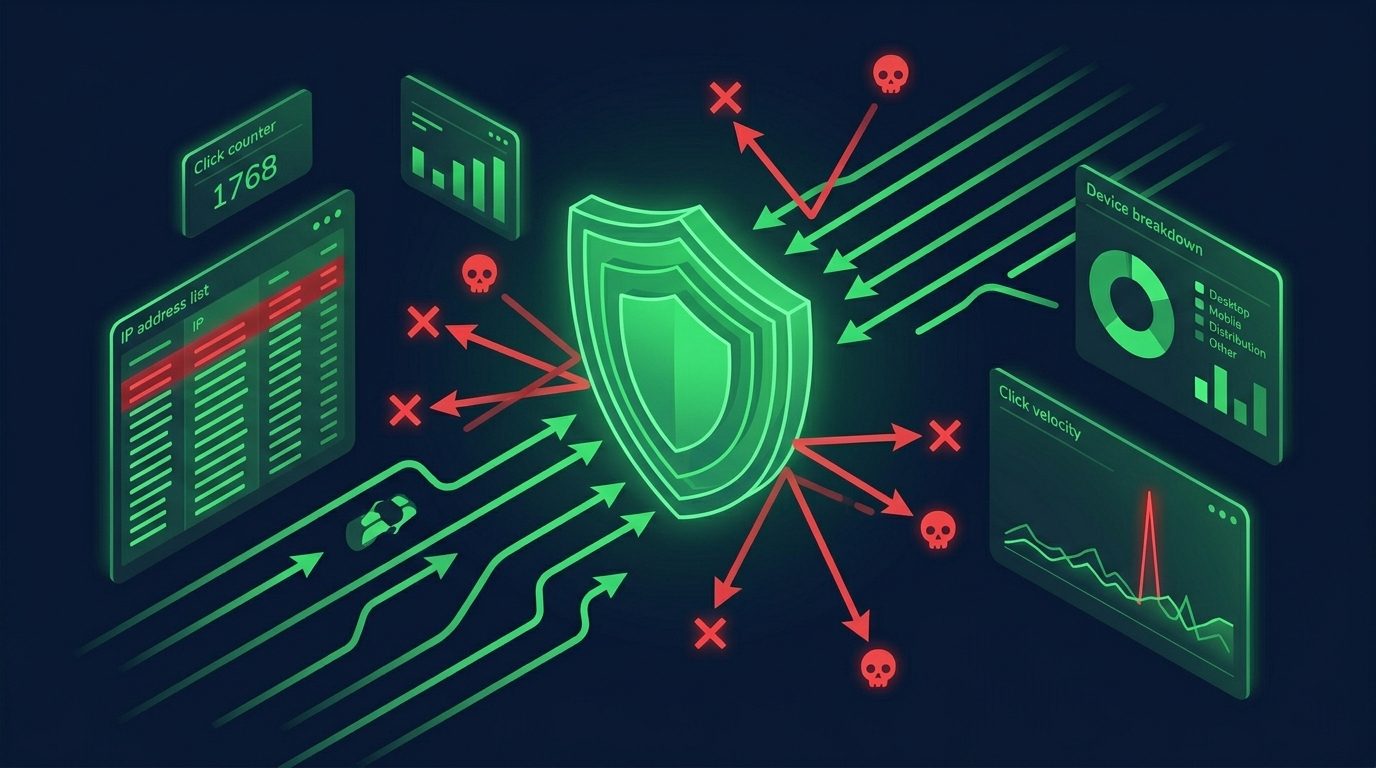
High click velocity. Real email opens cluster across hours and days as subscribers check their inboxes. Bot clicks often arrive in tight bursts, hundreds of clicks in minutes, then nothing.
Repeated IP addresses. Real subscribers come from unique IPs spread across geographies. Bots frequently recycle a small pool of IPs and proxies.
No opt-ins despite heavy clicks. Bots click but don't fill out forms. A campaign with 500 clicks and 4 opt-ins is almost certainly heavily bot-padded.
Strange device or user-agent strings.Headless browsers, outdated user-agents, and missing fingerprints all flag automated traffic.
You don't have to eyeball raw logs to catch this. PulseTrack automatically scores these patterns for every order, so obvious bots get flagged before you ever open a spreadsheet.
Specifically, PulseTrack treats each click as a bundle of 30+ signals (IP reputation, data-center vs residential, ASN, user-agent, device match, Tier 1 mismatch, and more) and rolls them into simple flags you can actually act on.
The Metrics You Need to Track
Want Verified Traffic Without the Guesswork?
PulseTraffic screens every seller, filters bot clicks in real time, and shows you verified buyer traffic labels before you spend a dollar.
Five metrics matter for every solo ad order:
- Unique click rate. Unique clicks divided by total clicks. Below 85 percent suggests recycled IPs or bot activity.
- Opt-in rate. Opt-ins divided by unique clicks. Your funnel quality benchmark.
- Mobile vs desktop split. Real solo ad traffic is 70 to 85 percent mobile. A 50/50 split or desktop-heavy traffic is suspicious.
- Geographic distribution. Does the country mix match what you paid for?
- IP repeat rate. How often the same IP appears across the order. Above 5 percent is a warning sign.
The reason these metrics matter so much is that PulseTrack stores them at the seller level, tagged by seller name, date, and click count. Once you've run a few orders through a vendor, you can pull up every historical order from that seller in one view and see whether their numbers are consistent or whether they're quietly trending the wrong way.
That history is how you trap bad sellers. When a vendor's last three orders all show a 70 percent unique rate and a 12 percent IP repeat rate, you don't have to argue from memory. You screenshot the PulseTrack report, attach it to your refund request, and either get your money back or fire the seller with documented evidence.
How to Set Up Tracking Parameters
Create a unique tracking link for every single order. Tag each link with three pieces of info: the seller's name, the date, and the click count. For example: seller-jones / 2026-02-15 / 200c.
In PulseTrack, you'd create a link like pulsetrack.me/phil?src=udimi-seller-jones-200c-2026-02-15 and give that link to the seller, not your raw squeeze page URL. The tracker counts the click, records the IP, device, and user-agent, then redirects to your squeeze page. The whole hop adds maybe 200 milliseconds.
Once the PulseTrack link is created, you never send raw URLs to a seller again. Every click goes through PulseTrack, which means you own the data, the seller doesn't, and your seller history keeps compounding into something genuinely useful.
PulseTrack: 30+ Layers of Defense for Solo Ads
PulseTrack.me is built specifically for email-driven traffic and solo ads, not generic PPC campaigns. The signals that matter for cold email clicks are different from the ones that matter for Google or Facebook traffic, and PulseTrack is tuned for the former.
PulseTrack analyzes 30+ signals per click (IP, ASN, data-center vs residential, Tier 1 mismatch, device fingerprint, click timing, user-agent anomalies, VPN and proxy hints, and more) and turns them into simple flags you can read at a glance:
- Clean traffic. Residential IP, plausible device, normal click pattern.
- Suspicious velocity. Click arrived in a burst window that doesn't match real inbox behavior.
- Datacenter IP. Click came from an ASN that belongs to a hosting provider, not a real ISP.
- High repeat rate. Same IP or device fingerprint showing up across multiple clicks in the same order.
PulseTrack also auto-aggregates stats by seller, so you can:
- See which vendors consistently deliver clean Tier 1 traffic across multiple orders.
- Catch vendors whose orders always show the same bot fingerprints, even when individual orders look "fine."
- Export a simple report when you need to request a refund or show proof to a marketplace dispute team.
PulseTrack is explicitly built to trap bad sellers over time. It remembers every order from every vendor, so when the third order in a row from the same seller shows the same datacenter IPs and the same impossible click bursts, you're not arguing from memory. You're arguing from data the seller can't dispute.
If you're buying through PulseTraffic, PulseTrack tracking is wired in by default. Just turn it on and start watching the metrics build up under each vendor.
If you're buying from Udimi or direct sellers, you can still run every click through PulseTrack as a standalone tracker at pulsetrack.me. Same 30+ signal stack, same seller-level history, applied to whatever traffic source you're already buying.
Interpreting Your Results
After the order delivers, review the metrics in this order: unique click rate first (traffic integrity), then opt-in rate (funnel performance), then geo and device splits (delivery accuracy), then IP repeat rate (fraud check).
Inside PulseTrack, you can sort orders by unique rate, opt-in rate, and repeat IPs, so your worst performers float to the top of the dashboard automatically instead of hiding in a spreadsheet you'll never open again.
Compare across orders from the same seller. One bad order can be an off day. Three bad orders is a pattern. Compare against your other sellers too. The best vendors are consistently in the top quartile across all five metrics.
When to Fire a Seller
Fire a seller after two consecutive orders that show: a unique click rate below 80 percent, opt-in rate below 20 percent (after you've verified your funnel works elsewhere), IP repeat rate above 8 percent, or geo distribution that doesn't match what you paid for.
If PulseTrack shows two consecutive orders from the same seller with under 80 percent unique and over 8 percent repeat IPs, that's your signal to stop buying and move that vendor to your "do not buy" list. The seller-level history is the whole point: you decide once, and you don't have to re-evaluate every time their name comes up again.
The good news is the better marketplaces handle a lot of this for you. See our best providers ranking for platforms that pre-filter on most of these metrics, and our solo ads guide for the broader strategy.
Want Verified Traffic Without the Guesswork?
PulseTraffic screens every seller, filters bot clicks in real time, and shows you verified buyer traffic labels before you spend a dollar.