

You can usually get a solo ad refund only if the campaign was never scheduled or the clicks were never delivered; once traffic goes out, refunds become rare. Start by pulling your tracking logs and contacting the vendor directly within whatever refund window their policy states, before you touch PayPal's dispute system.
TL;DR:
- Refunds are only available if the campaign was never scheduled or if the vendor admits a delivery error before any clicks go out.
- Vendors typically guarantee click volume, not actual conversions or opt-ins, making poor performance unlikely to trigger a refund.
- Providing detailed, timestamped click logs showing suspicious patterns strengthens your case for a refund or dispute.
- Escalating a dispute through PayPal or your credit card is only effective if you act within strict time limits and have solid evidence.
- Protect your investment by thoroughly vetting vendors beforehand, including requesting written policies and running test campaigns with tracked links.
Table of Contents
- Solo Ad Refund Policy Terms You Need to Decode
- When You Actually Qualify for a Solo Ad Refund
- How to Request a Solo Ad Refund Step by Step
- Proving Non-Delivery or Bad Traffic Quality
- PayPal Disputes and Chargebacks: What to Expect
- Solo Ad Refund Red Flags to Catch Before You Buy
- Why Verification Beats Chasing a Refund
- Get the Vendor Vetting Tools Before You Need a Refund
- Sources
- FAQ
Solo Ad Refund Policy Terms You Need to Decode
Most vendors write their refund policy in language designed to sound generous while covering almost nothing once a Refund happens. Learning to read that language saves you from a dispute you can't win.
The most important distinction is "refund before scheduling" versus "no refunds after delivery." The first means you can usually cancel and get your money back if your campaign hasn't been queued yet. The second means once the vendor hits send, that money is spoken for, regardless of what the clicks actually did once they landed on your page.
Typical refund policies include; see more about common vendor policy language and campaign support structures for context.
- A 24 hour to 7 day window to request cancellation before the campaign runs
- Processing times of 7 to 14 business days once a refund is approved
- Cancellation fees, sometimes deducted from your refund
- Partial credit toward a future campaign instead of cash back
- A guarantee tied to click delivery, not necessarily to opt-ins or conversions
That last point trips up more buyers than any other. A vendor who guarantees "500 clicks" is promising traffic volume, not sign-ups. If your opt-in rate tanks but the clicks arrived on schedule, the vendor has technically fulfilled the deal, even if your squeeze page converted at half your normal rate. Vendor policies commonly draw this line, refunding for non-delivery but not for underperformance.
When You Actually Qualify for a Solo Ad Refund
Not every disappointing campaign qualifies for a refund. Run through this checklist before you contact a vendor, so you know which case you're actually making.
- The campaign was never scheduled or queued. This is the cleanest refund case. If the vendor hasn't sent anything, there's no delivery to dispute, and most refund policies honor this without a fight.
- The vendor admits a delivery error. Double billing, a missed send date, or clicks sent to the wrong link are vendor mistakes. A vendor who made an error usually offers a refund or a replacement send rather than risk a public complaint.
- Clicks arrived, but conversions were low. This is where most refund requests fail. Poor opt-in rates can reflect your offer, your squeeze page, or your follow-up sequence just as easily as bad traffic, and a vendor's guarantee rarely covers this outcome.
- You can quote the exact clause that applies. Before you request anything, find the sentence in the vendor's terms that defines delivery and refund eligibility. Quoting it back to the vendor turns a vague complaint into a specific, harder-to-dismiss claim.
How to Request a Solo Ad Refund Step by Step
Speed and documentation decide most refund outcomes. A vendor who receives a vague complaint three weeks after delivery has every reason to say no. A vendor who receives a specific, evidenced request within days has less room to stall.
- Stop the campaign if it's still running. If your send hasn't completed, ask the vendor to pause it immediately. This preserves the "undelivered" argument if the vendor hasn't finished sending.
- Pull your tracking data right away. Download your click logs, export timestamps, and screenshot your tracking dashboard before anything gets purged or overwritten.
- Contact the vendor with specifics. Include your order ID, the delivery date, a sample of your log data, and the exact remedy you want (full refund, partial refund, or a replacement send).
- Set a follow-up deadline. Give the vendor 48 to 72 hours to respond, then follow up once more before you consider escalating to a payment dispute.
- Save every message. Keep emails, chat transcripts, and support ticket numbers in one folder. You'll need this record if the vendor refuses and you escalate later.
Pro Tip: Send your refund request in writing, even if the vendor prefers chat support. A written record with timestamps is what actually holds up if you need to escalate to PayPal or a card dispute later.
Proving Non-Delivery or Bad Traffic Quality
Screenshots alone rarely convince a vendor or a payment processor that traffic was fake or undelivered. What convinces them is raw data that shows a pattern, not a snapshot.
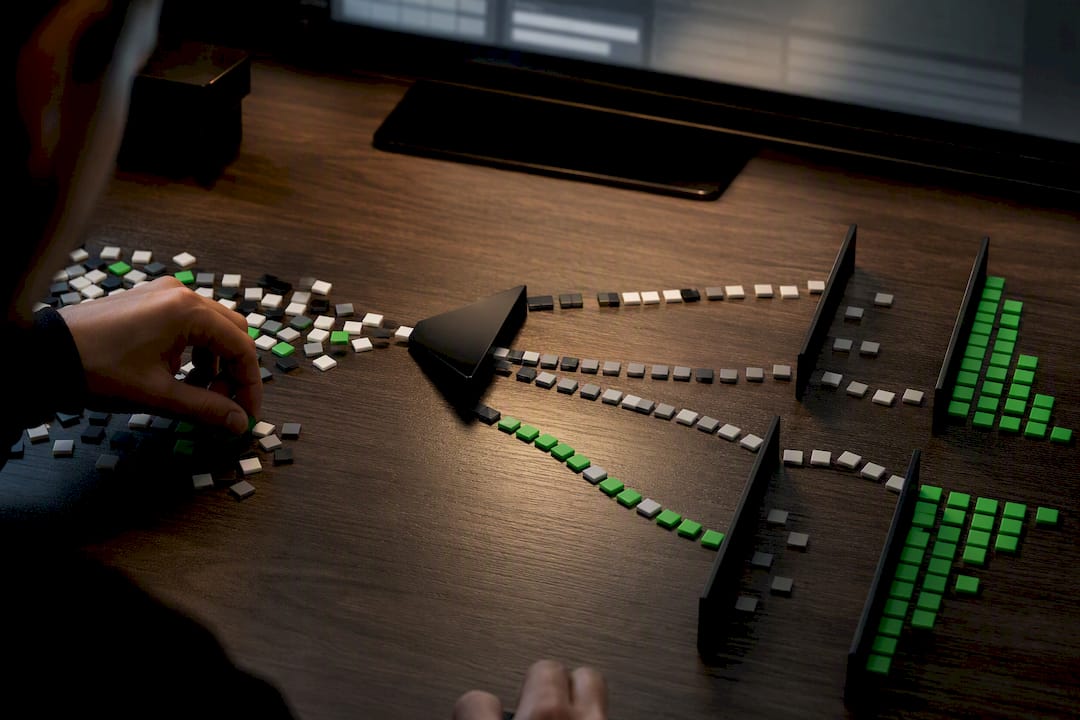
The strongest evidence comes from redirect or tracking link logs that record timestamps and IP addresses for every click, not a static screenshot of a dashboard total. A screenshot shows a number. A log shows a pattern, and patterns are what expose fraud.
Look specifically for:
- Clusters of clicks with identical or near-identical timestamps, which suggest automated hits rather than real visitors
- Repeated IP address blocks, especially from data center ranges instead of residential ISPs
- A raw CSV export from your tracking tool, with suspicious rows highlighted for the vendor to review
- A sharp mismatch between "clicks delivered" and any real engagement, like time on page or scroll depth
Forum-reported patterns show buyers who kept raw server logs, not just dashboard screenshots, were the ones who successfully won refunds or marketplace reversals. A vendor can dismiss a screenshot as a formatting glitch. It's much harder to dismiss a spreadsheet showing 200 clicks from four IP addresses in the same three minutes. Setting up proper click tracking before you ever place an order is what makes this kind of evidence possible in the first place.
PayPal Disputes and Chargebacks: What to Expect
If the vendor refuses to budge, PayPal or your card issuer becomes the next option, but temper your expectations going in.
PayPal generally asks that at least 7 days pass before you escalate a dispute to a formal claim, and disputes auto-close after 20 days if you never escalate them. That window closes faster than most buyers expect, so don't sit on a complaint hoping the vendor will come around.
- Open the dispute promptly through PayPal's Resolution Center rather than waiting out the window
- Expect PayPal to side with the vendor when delivery logs show clicks were sent, even if quality was poor
- Understand that PayPal's dispute process distinguishes disputes from chargebacks, and a card chargeback follows its own separate timeline through your bank
- Consider that credit card payments often carry stronger chargeback leverage than PayPal balance payments for service quality disputes
The realistic order of operations is vendor contact first, then documented evidence, then a PayPal dispute, and a chargeback only as a last resort.
Solo Ad Refund Red Flags to Catch Before You Buy
Most refund disputes trace back to a decision made before any money changed hands. Catching these signs early saves you the entire headache.
Watch for a vendor with no written refund policy at all, aggressive "buy now or miss out" pressure tactics, or blanket "no refunds after send" language with zero exceptions listed. Before you pay, ask for a small test send, insist on your own tracking link rather than the vendor's word, and get the scheduling and delivery terms confirmed in writing, not just implied in a sales chat.
- Request the vendor's exact definition of "delivered" in writing
- Confirm the replacement policy for bad traffic before you pay, not after
- Keep your own tracking link independent of anything the vendor provides
Pro Tip: If a send already went badly, don't just email support. Save your logs immediately, then check the vendor's public reviews and forums to see if others report the same pattern. A single bad batch happens; a repeated pattern is your real signal.
Why Verification Beats Chasing a Refund
Refunds are a weak safety net. By the time you're writing a dispute email, you've already lost the ad spend, the time, and often the argument, since most vendors can point to delivered clicks and call the matter closed.
The buyers who never need a refund are the ones who ran a small test send, confirmed tracking worked, and vetted the vendor with a real checklist before committing real budget. Document first. Dispute second. If you haven't run a test send with tracking enabled and applied a structured vendor vetting process, do that before your next purchase, not after your next complaint.
— Philip Coble
Get the Vendor Vetting Tools Before You Need a Refund
A refund request is damage control. The 21-question vendor vetting framework on Soloadsguide is designed to stop the damage from happening in the first place, by giving you the exact questions to ask a vendor before you ever send a payment.

The site's guides walk you through setting up tracking links so you have real delivery data from click one, not a dashboard summary you're forced to trust blindly. Reading the vendor vetting checklist before your next purchase gives you leverage a refund request never will, because you catch a bad vendor before your budget is at risk instead of after. Start with the tracking link guide to get your logs in place, then run the vetting framework on your next candidate vendor before you place an order.
Sources
- How do I open a dispute with a seller? | PayPal US
- Dispute Management | Dispute Resolution | PayPal US
- Solo Ads: Dos and Don'ts | Hrefshare blog
FAQ
Can I get a refund if I just change my mind about a solo ad order?
Only if the campaign hasn't been scheduled or sent yet. Most vendor policies treat a change of mind as a cancellation request, not a quality complaint, and honor it within their stated pre-delivery window.
How do I actually send a refund request to a vendor?
Email or message the vendor directly with your order ID, the delivery date, a sample of your tracking log, and the specific remedy you want, then follow up within 48 to 72 hours if you hear nothing back.
Can I get money back from a subscription-based traffic service the same way?
The same core rule applies: cancellation before the next billing cycle is usually straightforward, but refunds for a cycle you already used depend on that provider's specific policy language around delivery.
How do I reverse an accidental or duplicate charge for a solo ad campaign?
Contact the vendor immediately with your transaction ID and ask for a reversal before the campaign is scheduled; if the vendor won't cooperate, PayPal's Resolution Center is the next step, ideally within the first 7 days.
What happens if PayPal denies my solo ad dispute?
If PayPal sides with the vendor because delivery logs show the clicks were sent, your next option is a chargeback through your card issuer, which follows a separate process with its own evidence requirements.
Recommended
- How to Track Solo Ad Traffic (Catch Low-Quality Clicks)
- Fake Proof Solo Ads: How to Verify Before You Buy
- Solo Ad Click Tracking Explained for Affiliate Marketers
- Why Tracking Links Matter in Solo Ads (2026)
Want Verified Traffic Without the Guesswork?
PulseTraffic screens every seller, filters bot clicks in real time, and shows you verified buyer traffic labels before you spend a dollar.
