
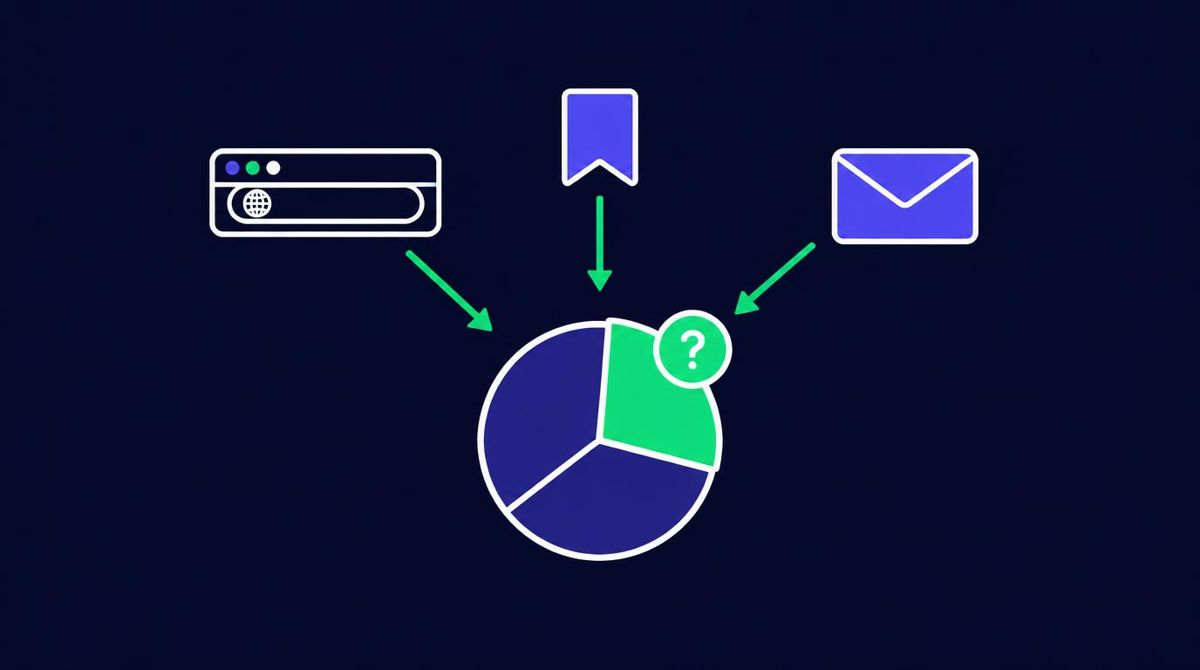
Direct traffic in Google Analytics is any session where GA4 cannot identify a referring source. It appears as (direct) / (none). That includes people who type your URL or use a bookmark, but also clicks from untagged links, some email and messaging apps, and redirects that strip tracking data. Direct traffic means "source unknown," not "visited on purpose."
That distinction matters. Many site owners read a large direct share as brand strength. Sometimes it is. Often it is a measurement gap. This guide covers what direct traffic means, how Google Analytics defines it, what causes it, and why a sudden change in direct traffic usually points to tracking rather than real demand.
How does Google Analytics define direct traffic?
GA4 assigns every session a source and a medium. It works them out from, in order of priority, campaign parameters on the URL (such as UTM tags or a Google Ads click ID), and then the referrer that the browser passes along.
When neither is available, GA4 records the source as (direct) and the medium as (none). In the default channel grouping, those sessions fall into the Direct channel.
So the Google Analytics definition of direct traffic is really a fallback. It is the label GA4 uses when it has no information about where a visit came from.
One further detail: in GA4's default last non-direct click attribution for conversions, a returning visitor who first came from a known source and later arrives directly is credited to the earlier source. Session reports still show the direct visit as direct.
What are the common causes of direct traffic?
Some direct traffic is exactly what it sounds like. Much of it is not.
Typed URLs. Someone types your domain into the browser. This is genuine direct traffic and often reflects brand awareness or repeat visitors.
Bookmarks and saved links. Opening a bookmark sends no referrer, so the visit is direct.
Untagged links in emails, PDFs, and documents. Many email clients, desktop apps, and files do not pass a referrer when a link is clicked. Without UTM tags, those visits appear as direct.
Messaging and social apps. Links shared in chat apps and some mobile social apps often open without a referrer.
Redirects that strip parameters. If a link passes through a redirect that drops the query string, your UTM tags disappear before GA4 sees them. The visit then arrives with no campaign data and, often, no referrer. This is one of the most common causes of misattributed paid traffic. Our guide on how to track direct website traffic covers it in detail.
HTTPS to HTTP. Browsers do not send a referrer when someone goes from a secure HTTPS page to an insecure HTTP page. If your site still serves any pages over HTTP, visits from secure sites can show as direct.
Strict privacy settings. Some browsers, extensions, and referrer policies limit or remove referrer data.
Bots. Many automated visitors arrive without a referrer. If bot traffic is getting through, it often lands in direct. See whether traffic bots and free traffic generators work for how to spot them.
Is direct traffic to your website a good or bad sign?
Neither, on its own. Direct traffic to a website is a mix of loyal visitors and unattributed visits from other channels.
A useful way to judge it:
- Look at landing pages. Real direct visitors mostly land on your homepage or memorable short URLs. Direct traffic landing on deep blog posts or campaign pages is usually unattributed traffic from somewhere else.
- Look at engagement. Loyal visitors tend to engage well. A large block of direct sessions with near zero engagement time suggests bots or broken tracking.
- Compare with new versus returning users. Typed and bookmarked visits skew toward returning users.
Why does a sudden spike or drop in direct traffic usually mean a tracking change?
Real demand rarely changes overnight. People do not suddenly start typing your URL in large numbers, and they do not suddenly stop. When direct traffic jumps or falls sharply in a day or two, the more likely explanation is that something changed in how visits are being attributed.
Common culprits:
- A redirect was added, removed, or changed, and it now keeps or strips UTM parameters differently.
- A campaign started or stopped sending untagged links.
- A link shortener or tracker changed how it forwards visits.
- A site moved between HTTP and HTTPS, or changed its referrer policy.
- A bot started or stopped hitting the site.
- The analytics tag was edited, duplicated, or removed on some pages.
When you see a sharp change, check what changed on the same day before assuming customer behavior shifted. Look at which landing pages the direct visits used and compare against your campaign calendar.
How can you reduce misattributed direct traffic?
The fixes are mostly about keeping source information intact.
- Tag every link you control with UTM parameters, especially in email, paid placements, and documents.
- Check that redirects pass the query string through to the final page.
- Serve every page over HTTPS.
- Filter known bots and watch for engagement patterns that suggest automation.
- Use an independent click tracker for paid traffic, so you have a record of clicks even when analytics loses the source. Our guide to the best tools for tracking traffic performance explains how this fits alongside GA4.
The companion guide on tracking direct website traffic walks through each step, including a real example of paid clicks hiding inside direct traffic.
How is direct traffic different from organic and referral traffic?
These three channels are often confused, so it helps to separate them.
- Organic search comes from unpaid search results. GA4 identifies it from the search engine referrer.
- Referral comes from a link on another website. GA4 identifies it from that site's referrer.
- Direct is what is left when GA4 has neither campaign tags nor a referrer.
If a referral or organic visit loses its referrer on the way, it does not become a different channel. It becomes direct. That is why direct traffic tends to grow when tracking breaks: it absorbs visits that should have been credited elsewhere. Keeping referrers and tags intact is the most reliable way to keep each channel honest.
Paid channels work the same way. A Google Ads click is normally identified by its click ID, and a tagged email or solo ad click by its UTM parameters. Strip either one and the visit falls back to direct, even though you paid for it. This is why paid campaigns that lose their tags can make direct traffic look surprisingly large.
What does this mean for solo ad buyers?
If you buy email traffic, untagged or stripped links will make your solo ad clicks look like direct visits. You lose the ability to compare sellers in GA4 and to tie opt-ins back to the order that produced them.
Always send vendors a tagged tracking link, and test that the tags survive to your landing page before the order runs. The solo ad analytics dashboard setup and thank you page tracking in GA4 show how to connect clicks to conversions. For the full buying process, see buy solo ads traffic.
Disclosure: I own PulseTraffic, a solo ads traffic service. Whichever vendor you use, check that your tracking parameters reach your page. See PulseTraffic packages
Want Verified Traffic Without the Guesswork?
PulseTraffic screens every seller, filters bot clicks in real time, and shows you verified buyer traffic labels before you spend a dollar.
