
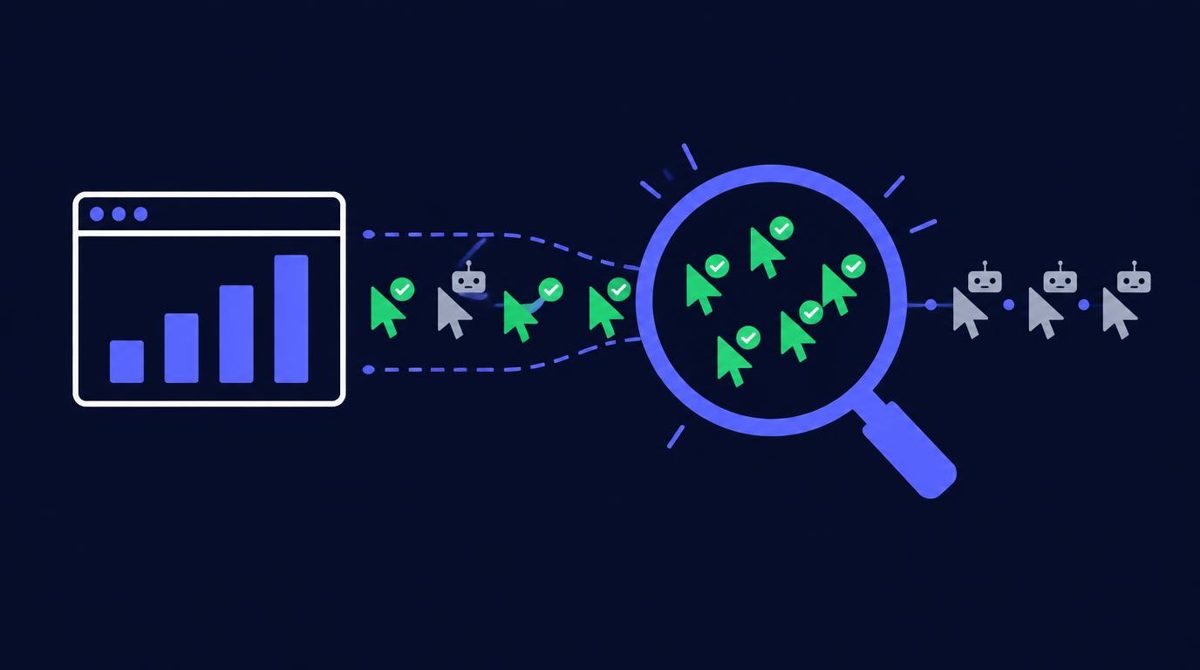
The best setup for tracking traffic performance uses two kinds of tools. Google Analytics 4 shows what visitors do on your site, such as pages viewed and conversions. An independent click tracker shows what happened before they arrived: raw versus unique clicks, bots, countries, and whether a paid vendor delivered what you bought.
Most marketers start with only the first one. That works for organic traffic, but it leaves a gap the moment you start paying for clicks. This guide covers what each tool is good at, where each one falls short, and how to combine them.
What does Google Analytics 4 measure well?
GA4 is strong at on-site behavior. Once a visitor's page loads and the tag fires, it records sessions, pages viewed, engagement time, traffic source, device, and any conversion events you set up.
Use GA4 to answer questions like:
- Which traffic sources bring visitors who stay and engage?
- Which landing pages convert best?
- Where do people drop out of a funnel?
- Which campaigns, tagged with UTM parameters, lead to sign-ups or sales?
GA4 is free, widely documented, and connects to Google Search Console and Google Ads. For most sites it is the right foundation. Our guide to thank you page tracking in GA4 shows how to record opt-ins as conversions. If a large share of your visits shows up as direct, read what direct traffic means in Google Analytics and how to stop paid clicks being counted as direct.
Why is GA4 not enough for paid traffic?
GA4 only sees visitors whose browser loaded your page and ran the tag. Anything that happens before that point is invisible to it, and that is exactly where paid traffic problems live.
Several common situations explain the gap.
- Clicks that never load the page. A person clicks, then closes the tab before the page finishes. The vendor counts a click. GA4 records nothing.
- Blocked tags. Ad blockers and privacy settings stop many analytics tags from firing, so GA4 undercounts real people.
- Bots and automated clicks. Some bots never run scripts. Others do, and can look like short sessions.
- No click-level record. GA4 reports in aggregates. It does not give you a timestamped log of every click with its IP and user agent, which is what you need to dispute a delivery.
So when a vendor says they sent 200 clicks and GA4 shows 120 sessions, GA4 alone cannot tell you why. You need a record of the clicks themselves.
What does an independent click tracker add?
A click tracker sits between the ad and your page. Every click passes through a tracking link you control, and the tracker logs it before redirecting the visitor. That gives you a record that does not depend on the vendor or on the visitor's browser running a script.
A good tracker should show you:
- Raw clicks versus unique clicks. Raw counts every click. Unique filters repeat clicks from the same visitor. A big gap between the two is a warning sign.
- Bot and suspicious traffic flags. Data center IPs, known bot user agents, and abnormal click timing.
- Country and device breakdown. So you can confirm the geo you paid for.
- Timing. A natural email send produces a spread of clicks over hours. A sudden burst in a few minutes deserves a closer look.
- Click logs. Timestamps and IP data you can export as evidence. See solo ad click logs for what a useful log contains.
Solo ad click tracking explained covers setup in more detail.
How do you verify what a traffic vendor actually delivered?
Compare three numbers for every order: the vendor's reported clicks, your tracker's unique clicks, and the opt-ins or conversions on your own page.
A practical check looks like this:
- Give the vendor your tracking link, not your raw page URL.
- When the order completes, compare the vendor's count with your tracker's raw and unique counts.
- Check the share of clicks from the countries you ordered.
- Look at the bot or filtered click count.
- Compare tracker clicks with GA4 sessions and with opt-ins. A small gap is normal. A very large one points to clicks that were not real visitors.
If the numbers do not line up, you have the evidence to raise it with the vendor. Our guide on evidence that wins solo ad refunds explains what to collect, and the 100 to 200 click test shows how to run a first order as a measurement exercise.
Which other tools are worth adding?
Beyond GA4 and a click tracker, a few tools fill specific gaps.
- Google Search Console. Shows how your pages appear in Google search, including impressions, clicks, and the queries that bring visitors. Essential for organic traffic.
- Your email platform's reports. Opens, clicks, and unsubscribes on your follow-up emails show which traffic sources bring engaged subscribers.
- Ad platform reports. If you run search or social ads, their dashboards show spend and cost per result. Treat them as the platform's view, and compare against GA4.
- Conversion postbacks. For affiliate offers, server-to-server postbacks pass sales back to your tracker. See S2S postback for solo ads.
You do not need everything at once. Add tools when you have a question your current setup cannot answer.
How should you combine these tools into one view?
Use each tool for the question it answers best, then put the key numbers side by side for each traffic source.
A simple weekly table per source might include: spend, vendor-reported clicks, tracker unique clicks, GA4 engaged sessions, opt-ins, cost per subscriber, and sales. Our post on an analytics dashboard setup shows one way to lay it out, and solo ad spend vs conversion tracking explains how to read the results.
The point is not more data. It is being able to say, for each source, what you paid, what you received, and what it produced.
Where do PulseTrack and PulseTraffic fit?
Disclosure: I own PulseTrack and PulseTraffic. PulseTrack is a click tracking tool and PulseTraffic is a solo ads traffic service, so treat this section as a description from the owner, not an independent review. PulseTrack logs raw and unique clicks, flags suspicious traffic, and shows geo and device data. Any reputable independent tracker can do the job described above, so compare options before you choose.
If you buy email traffic, PulseTraffic orders accept your own tracking link, whichever tracker you use. See PulseTraffic packages
For the full process of buying and checking paid email traffic, see buy solo ads traffic.
Want Verified Traffic Without the Guesswork?
PulseTraffic screens every seller, filters bot clicks in real time, and shows you verified buyer traffic labels before you spend a dollar.
